 +1 (800) 844-6603
 Follow Us


Running a food truck?Siiopa is a handy POS that runs offline on your phone.
Free point of sale for food trucks, coffee shops and coffee carts. Orders are saved on your Android phone or tablet, then sync to Siiopa Cloud when you're back online.
Free to start. No credit card. Works on Android 6.0 and newer.
Made for small, busy counters on wheels
If you sell from a window, a van, a stall or a cart, Siiopa fits in your hand and keeps working when the signal doesn’t.
Food trucks
Keeps selling when the signal drops and runs on a phone or tablet battery.
Siiopa for food trucksCoffee shops and carts
A short menu set up in minutes, extras for every drink, and a $0 software start.
Siiopa for coffee shops and cartsIce cream vans
Flavours, cones and toppings as photo items, sold from the window wherever you park.
Mobile car detailing
Wash and detail packages with add-ons, paid at the customer’s driveway.
Mobile pet grooming
Grooming services as items, a note for every pet, and payment at the curb.
Pop-up bookshops
Find books with search and keep selling at markets and fairs, signal or not.
Mobile fashion boutiques
Pieces with photos, a size note on each sale, and checkout from your phone.
See Siiopa in 85 seconds
From the first tap to the end-of-day drawer report, on a phone and on a tablet.
Try it: ring up an order
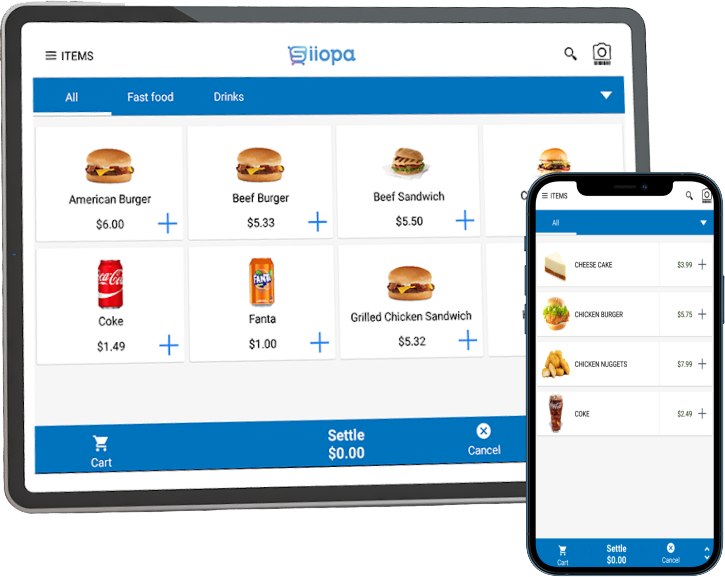
Tap + on a few items. This is how the Siiopa sales screen works at the window or the counter.
Try it: tap + to ring up an order.
Ring up an order in four steps
These are the real Siiopa screens a cashier uses during a rush. Big buttons, one hand, no training manual.
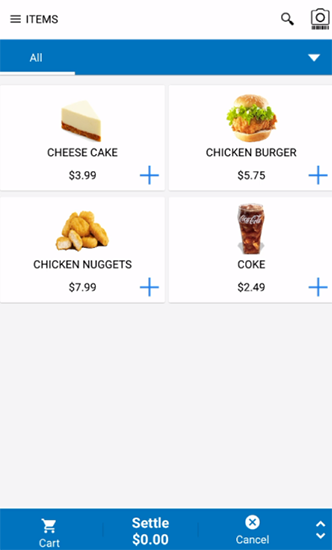
Pick items
Show your menu as a list or a photo grid. Tap + to add.
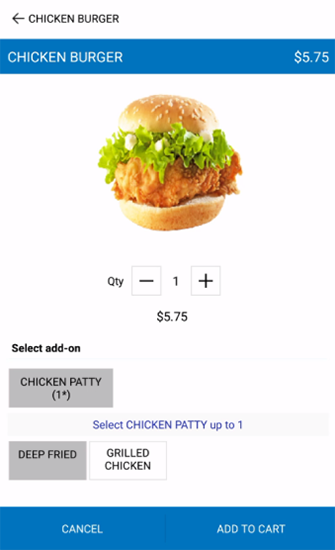
Choose add-ons
Deep fried or grilled? Modifiers pop up when an item needs them.
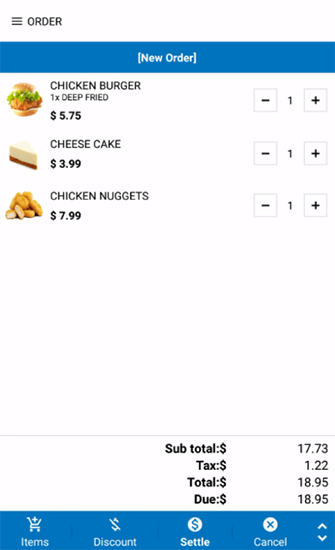
Check the order
Change quantities, add a discount, and see tax worked out for you.
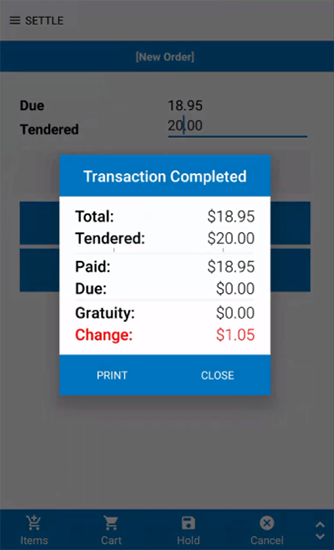
Settle and print
Enter what the customer hands you. Siiopa shows the change and prints the receipt.
Edit the menu on your laptop. The app updates itself.
Your store lives in the cloud at siiopa.com. Change a price at home tonight and every phone at the counter has it tomorrow morning.
- Import your menu from a spreadsheetOr start with sample items and edit them.
- Changes reach every deviceEach phone gets a notification and syncs on its own.
- Set tax and currency onceEntered when you register, used on every ticket.
The short version
- Price
- Free to start, no credit card needed.
- Devices
- Android phones and tablets running 6.0 or newer.
- Made for
- Food trucks, coffee shops, coffee carts and small cafés.
- Offline
- Orders are saved on your phone or tablet, then sync to Siiopa Cloud when you're back online.
- Tables
- Pick a table from the layout, or switch to guest mode for counter orders.
- Printing
- Connect a receipt printer from Settings, then Print config.
- Help
- Step-by-step articles at guide.orocube.com, or email helpdesk@orocube.net.
Set up your store before your next shift.
Register on siiopa.com, install the app, and log in with the same email.